
Your iPod is back.
On your Mac.

No ads, no feed, only music.

Sent. Open it on your Mac.

Download for Mac

Beta 424macOS 15 or later

Limited to 25 testers.

Thanks for stopping by! New spots open in small groups, so we can read every note. Leave your email, and we’ll write to you when a spot opens.

The download is on its way. Please check back soon.

Install

  1. Open the downloaded file.
  2. Drag myPod to Applications.
  3. Open myPod and log in.
  4. Type your email, then open the link.

New in this beta

A new beta comes out every week.

  • Look inside. Hold ⌘ and drag to turn it.
  • One click away. It’s in the menu bar.
  • Learn as you go. Hints show the tricks.
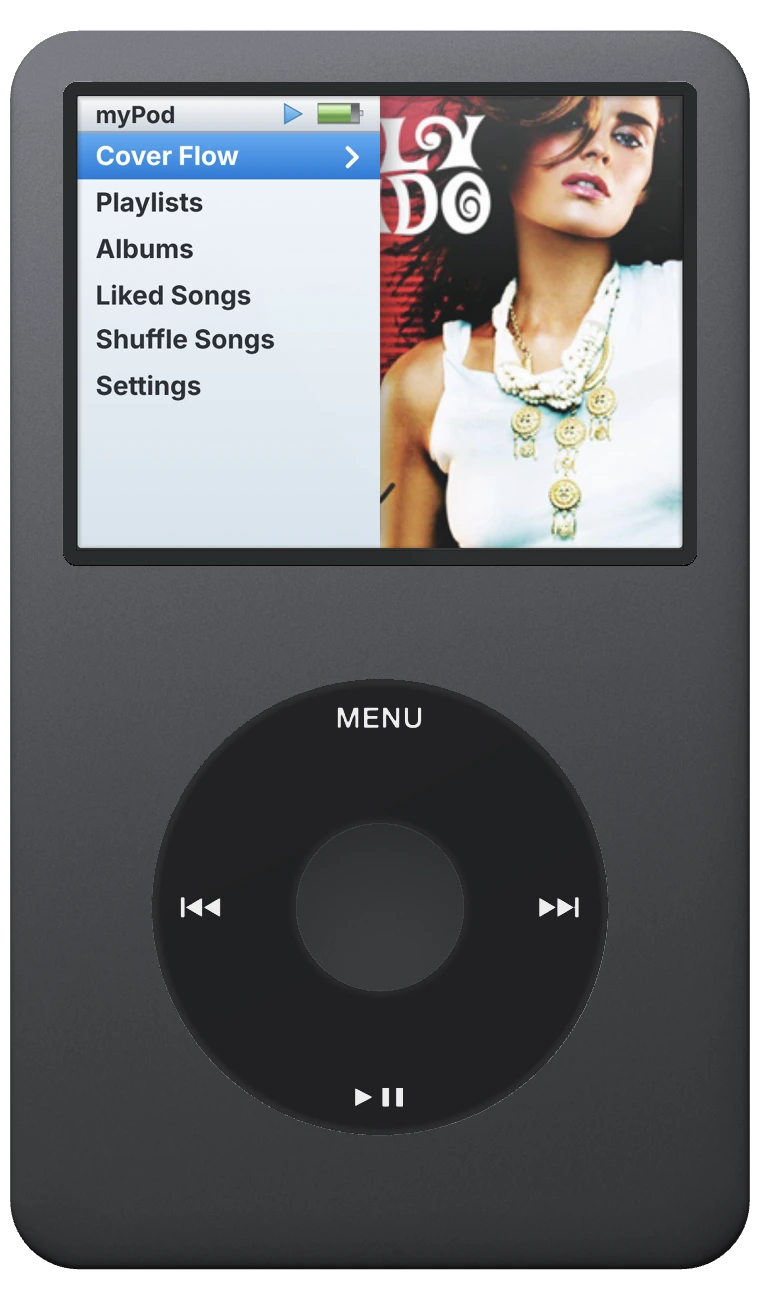
myPod in Black, playing music
black

What's next? You pick.

These are the ideas on our bench. Give a thumbs up to the ones you want, and help us choose what comes first.

myPod showing music files on this Mac, with music file icons

coming soon

Your own music files

Play the songs on your Mac, next to Spotify and Apple Music.

The smaller myPod in Silver, Red, Black, Blue and Green

coming soon

Nano

A smaller myPod for your desktop, in five colors.

Radio station covers: NPR, KEXP, SomaFM, 6 Music and WNYC

Radio

Apple Music radio stations, one turn of the wheel away.

myPod Now Playing screen with the song marked Liked

Like from the wheel

Love a song? Like it without leaving the player.

A click wheel in every color of the spectrum

More colors

New finishes beyond Silver and Black.

Something else?

Tell us what you miss. We read every message.

Send an idea

Ideas we are exploring, not promises.

Found a bug?

Cappy reads every note. In myPod, choose Help › Report a Problem, or write to feedback@getmypod.app.

Write to us

“Made for everyone who still misses their iPod.”